List your business or agency
Add your agency, consultancy or marketing business to the SEOgenz directory: what you need and how review works.
Updated 2 October 2026
Listing a business on SEOgenz is free. Every listing is reviewed by a moderator before it appears in the business directory.
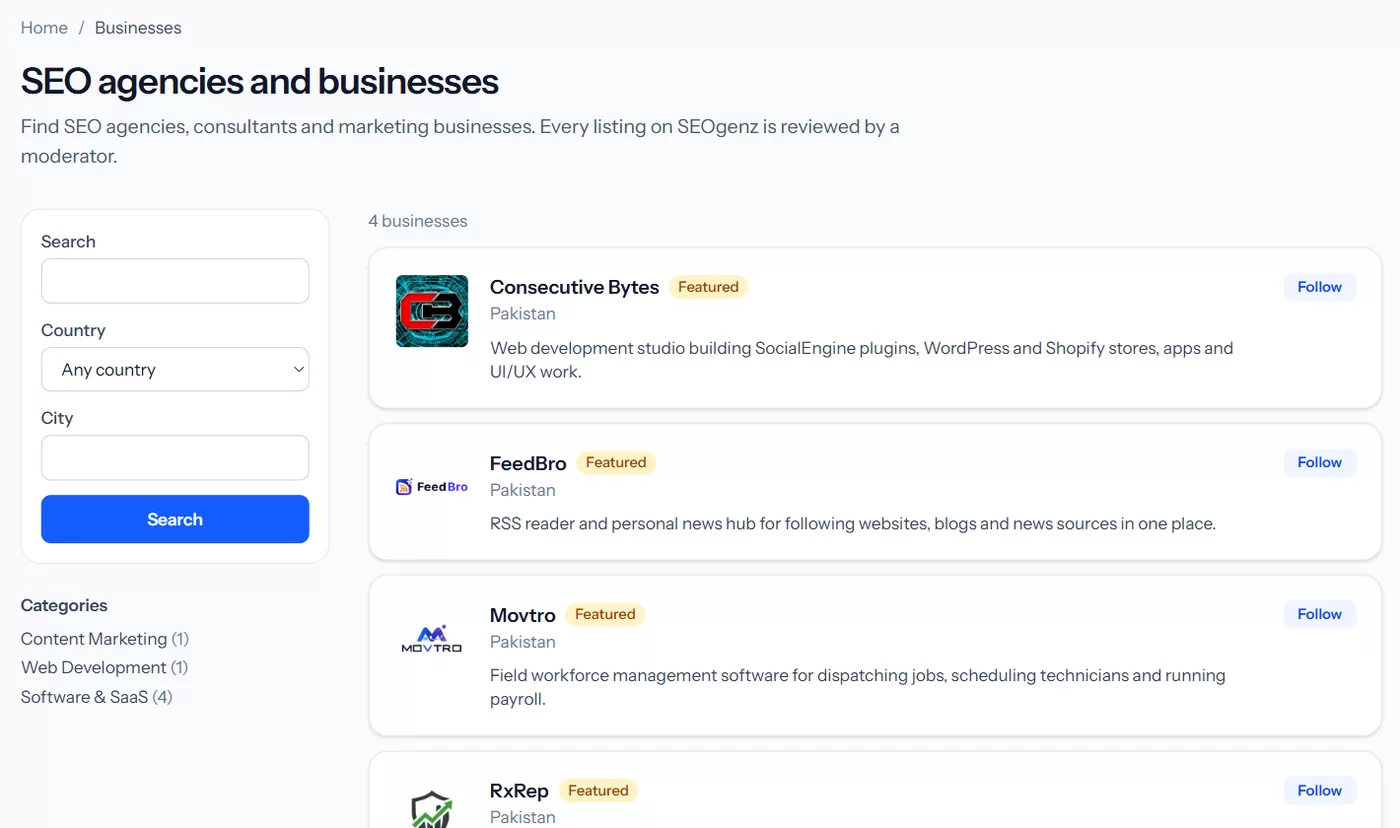 The business directory, where approved listings appear.
Create the listing
- Open Dashboard → Businesses and choose Add a business.
- Fill in the details. Before you can submit, the listing needs:
- a short description of at least 50 characters (shown in the directory);
- a full description of at least 300 characters (shown on your listing);
- at least one category (up to 3);
- your country;
- a website or a contact email.
- Optionally add a logo, a cover image, up to 8 services and up to 5 links, such as LinkedIn or a portfolio.
- Select Submit for review.
You can have up to 3 listings waiting for review at a time.
What happens next
A moderator checks the listing against the content guidelines. You get a notification when it is approved, or when it needs changes, with the reason. Once approved it appears in the directory and in search.
 A published listing: cover, logo, description and contact details.
Links on listings are marked as user-generated (ugc nofollow): the point is to be found by people who need your services, not to trade links.
Work on a listing as a team
The owner can invite team members: open the listing's edit page and choose Manage team. Invitations appear under Dashboard → Invitations, where they can be accepted or declined.
See how your listing is doing
In Dashboard → Businesses, choose Stats next to the listing. See Understand your listing statistics.