Start a discussion in a community
Ask a question or start a conversation in one of the SEOgenz communities, and how replies and editing work.
Updated 2 October 2026
Communities are topic-based spaces for questions and conversations: technical SEO, content and on-page, local SEO, e-commerce SEO, algorithm updates, careers and freelancing, and tools and workflows.
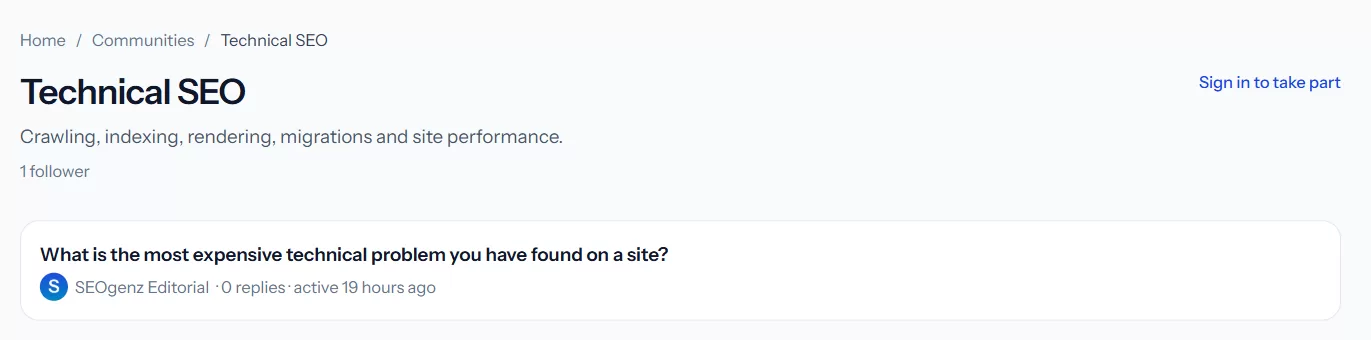 A community page lists its discussions, most recently active first.
Start a discussion
- Open a community and choose Start a discussion.
- Give it a clear title, ideally the question itself.
- Add the details: what you tried, what you expected, and what happened.
- Post it. Discussions go live straight away; moderators can hide anything that breaks the guidelines.
You can start up to 5 discussions a day, and edit a discussion for 24 hours after posting it.
Follow communities
Select Join on a community to follow it. You will be notified about new discussions in communities you follow, and they appear in your sidebar.
Reply
Open a discussion and write your reply at the bottom. You can also reply to a specific reply. Discussions are public, and longer ones, or ones with replies, can appear in search engines, so write as you would in any professional setting.