The best free SEO tools, and what each is actually good for
Search Console, Bing Webmaster Tools, PageSpeed Insights and the free tiers of the big crawlers and suites: a practical free toolkit for most sites.

· 3 min read
You can do a surprising amount of SEO without paying for anything. Here is a free toolkit that covers most of what small and medium sites need, and where paid tools start to earn their price.
The essentials (free, from the search engines)
Google Search Console is the first place to look. It shows the queries and pages that bring clicks and impressions, why pages are or are not indexed, Core Web Vitals from real visitors, and how Google sees a single URL. Data is limited to sites you verify.
Bing Webmaster Tools does the same for Bing, adds keyword research and a site scan, and can import your sites from Search Console in a few minutes. Worth setting up even if Bing is a small share of your traffic.
Google Business Profile is essential for any business that serves customers in a local area: it controls how you appear in local search and on Maps.
Speed and experience
PageSpeed Insights combines a lab test with field data from real visitors where enough exists. It works on any public URL, including competitors'.
Crawling
Screaming Frog SEO Spider has a free version that crawls a limited number of URLs per crawl, which covers many small sites completely: response codes, redirects, titles, canonicals, internal links. The paid licence removes the limit and adds features such as JavaScript rendering and scheduling.
Sitebulb offers a trial, and explains each issue it finds in plain language, which makes it useful for learning.
Links and keywords
Ahrefs offers free Webmaster Tools for sites you verify, with limited backlink and audit data.
Semrush has a free account with a small number of daily lookups, enough to evaluate it.
A free workflow that works
- Set up Search Console and Bing Webmaster Tools, and submit your sitemap to both.
- Crawl the site with a free crawler and fix broken links, redirect chains and missing titles.
- Check your most important templates in PageSpeed Insights.
- Review the Search Console Pages report monthly for anything newly excluded.
- If you serve a local area, keep your Business Profile complete and current.
When paid tools are worth it
Free tools mostly show your own site. Paid tools earn their price on competitor data, historical data, large sites and reporting. If you need those, pay for the one tool that covers your most frequent job. We wrote more about that in Choosing SEO tools without buying all of them.
Pricing and free tiers change, so check each tool's site for current details. Browse the full SEO tools directory, or add a tool you use.
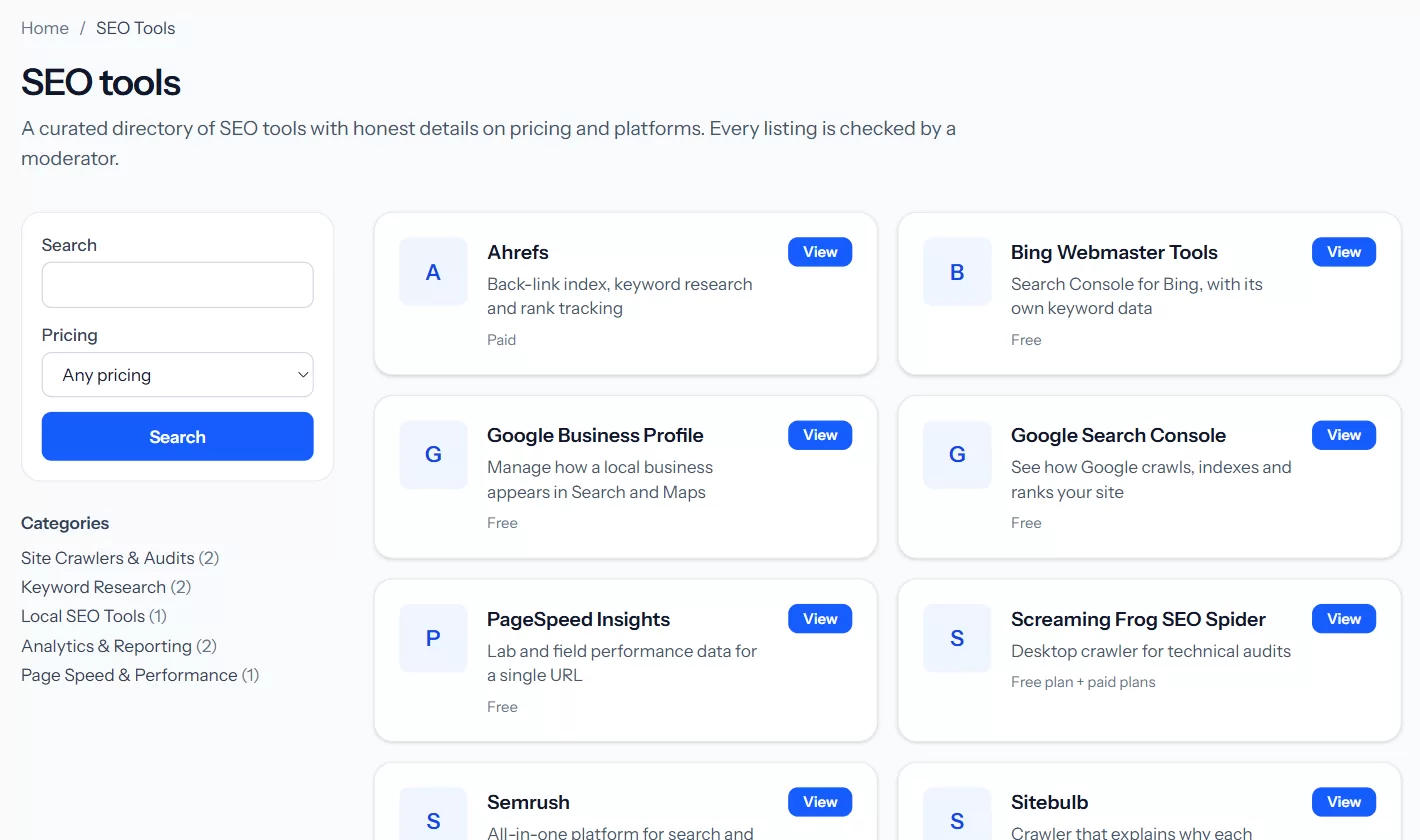 The tools directory shows each tool's pricing model at a glance, with categories and a pricing filter.
Which free tool would you never give up? Tell us in the comments.